

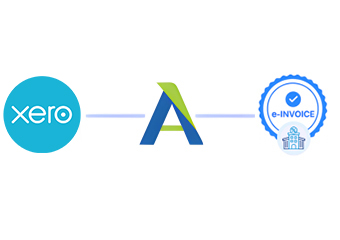
Compliance That Fits Xero Users.
From Xero Records To Exchange
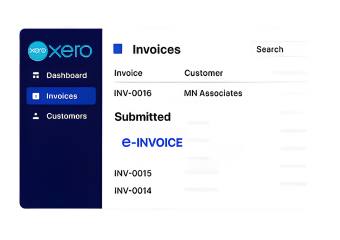
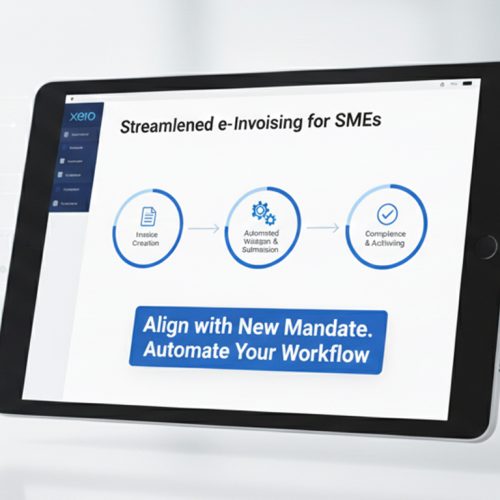
- Capture Billing Data: Capture Xero sales information from cloud accounting records without disrupting established finance activities and billing workflows.
- Match Account Details: Relate Xero contacts, accounts, tax information, and transactions to required electronic invoice structures for Slovakia processing.
- Review Transaction Content: Examine invoice information before creating electronic documents for compliant exchange through connected Slovakia e-invoicing channels.
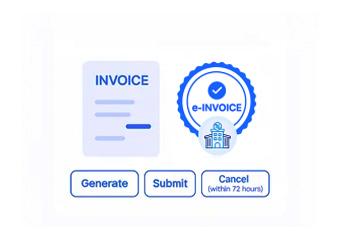
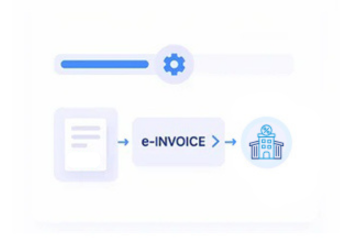
- Create Invoice Documents: Convert approved Xero information into structured electronic records suitable for controlled business invoice delivery.
- Coordinate Document Exchange: Route prepared invoice records through applicable e-channels while preserving relevant accounting references and transaction details securely.
- Update Accounting Records: Return processing outcomes for reconciliation, reporting, and follow-up across connected finance systems and accounting operations efficiently.
Linking Cloud Accounting With ERP
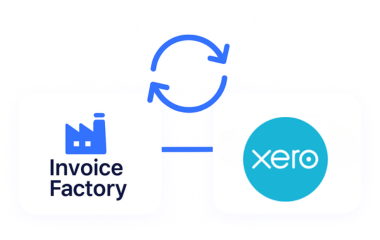
Xero can serve as a central cloud accounting environment, while Advintek connects invoice activity with broader ERP, reporting, reconciliation, and compliance processes.
- Preserves Xero account information across workflows
- Connects customer and supplier records
- Supports cloud accounting with ERP systems
- Extends invoice data into reporting
Smarter Finance Through Xero
- Streamline Billing Administration: Reduce repetitive invoice preparation across Xero accounting activities through connected e-processing workflows and daily billing operations.
- Improve Reconciliation Quality: Align Xero transaction records with corresponding invoice information for cleaner and more consistent financial reconciliation across business records.
- Support Tax Reviews: Give finance teams organized invoice information for reviewing applicable invoicing requirements in Slovakia and related tax details.
- Strengthen Contact Records: Maintain useful customer and supplier context throughout connected electronic invoice workflows consistently across accounts and billing activities.
- Enhance Financial Reporting: Connect invoice activity with Xero reporting and broader enterprise finance analysis processes for improved financial oversight effectively.
- Extend ERP Connectivity: Share relevant Xero financial information with wider systems without repeated manual data entry across connected business applications.
Xero Tools For Finance Control
Reconciliation Activity Support
Connect invoice outcomes with related Xero financial activity for consistent account reconciliation processes.
Recurring Billing Oversight
Monitor recurring invoice information and identify records requiring additional accounting review promptly.
Reporting Data Controls
Organize invoice information supporting financial reports, management analysis, and compliance documentation effectively.
Xero For Connected Finance
Xero can connect everyday cloud accounting with e-invoicing while retaining useful information for customers, suppliers, reconciliation, reporting, and wider ERP coordination.
- Supports cloud-based customer billing activities
- Preserves supplier transaction information
- Connects reconciliation with invoice processing
- Extends reporting into ERP workflows
Create a Cleaner Billing Workflow
Connect Xero finance with Slovakia’s e-invoice requirements.
Simplify accounting across connected systems.
Ready e-Invoice System
Frequently Asked Questions Xero e-Invoicing Slovakia
Can Xero connect with ERP systems for Slovakia e-invoicing?
Xero accounting data can be connected with Advintek to support electronic invoice processing in Slovakia and wider ERP workflows. Relevant customer, supplier, tax, account, and transaction information can be coordinated between systems. This creates a link between cloud accounting and enterprise finance operations while allowing organizations to retain Xero for their established accounting activities.
How are Xero account codes used during invoice processing?
Account codes within Xero provide accounting context for financial transactions and can support structured invoice processing. Advintek can associate relevant account information with invoice records before electronic documents are exchanged. This helps finance teams preserve accounting classifications while connecting invoice activity with compliance workflows, reconciliation processes, reporting requirements, and downstream ERP systems.
What happens when an Xero invoice needs correction?
Invoice records requiring correction can be identified during configured processing checks before electronic exchange. Finance users can review the relevant Xero transaction and address missing or inconsistent information within their accounting workflow. Once corrected information is available, the invoice can proceed through the appropriate electronic processing route without disconnecting it from its original accounting context.
Can Xero customer and supplier records support ERP workflows?
Customer and supplier information maintained within Xero can provide important references for connected invoice and ERP processes. Advintek can use relevant trading-party information when preparing electronic invoice records, helping preserve relationships between contacts, transactions, and accounting entries. This supports more consistent reconciliation and reduces repeated creation of customer or supplier information across connected systems.
How can Xero reporting benefit from connected invoice information?
Connected invoice information can complement existing Xero reporting by providing additional context around processed electronic documents and their outcomes. Finance teams can use this information when reviewing billing activity, reconciliation, exceptions, and compliance documentation. Linking these records with wider ERP processes can also provide a broader view of financial activity across connected business operations.