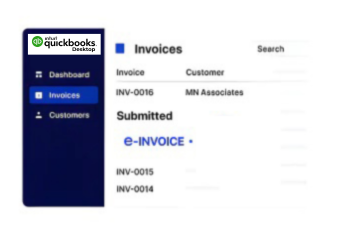
Compliance Built Around Desktop Accounting Workflows
Tracing Desktop Invoices Through Slovakia Compliance
- Capture Desktop Records: Collect desktop invoice information without interrupting established bookkeeping and customer billing procedures efficiently.
- Map Ledger Information: Translate ledger, customer, tax, and transaction details into Slovakia-ready electronic invoice structures accurately.
- Validate Invoice Details: Review mandatory invoice information before approved records enter structured document generation and electronic delivery.
- Create Electronic Documents: Convert validated QuickBooks Desktop information into electronic invoice records prepared for compliant electronic exchange.
- Route Prepared Invoices: Route prepared documents through applicable electronic channels while preserving connected accounting references securely throughout.
- Reconcile Processing Results: Return processing outcomes to finance workflows for reconciliation, exception handling, and accounting record review.
Connecting Desktop Records Across Finance Systems
Advintek extends QuickBooks Desktop beyond routine bookkeeping by connecting invoice information with structured compliance processes and wider enterprise finance operations.
- Extracts invoice information from desktop records
- Validates tax fields before document creation
- Structures accounting data for electronic exchange
- Links invoice outcomes with ERP processes
Accounting Gains From Desktop Integration
- Reduce Manual Administration: Reduce repetitive invoice preparation across QuickBooks Desktop bookkeeping and routine finance administration activities efficiently.
- Improve Record Consistency: Improve consistency between desktop ledger entries and corresponding electronic invoice information through structured mapping processes.
- Support Compliance Reviews: Support compliance reviews with organized invoice records aligned to applicable Slovakia processing requirements.
- Strengthen Account Matching: Help finance teams match QuickBooks Desktop transactions against related electronic invoice outcomes more efficiently.
- Expand Finance Visibility: Provide clearer oversight across desktop billing activity, compliance processing, and connected enterprise finance records.
- Extend ERP Connectivity: Extend QuickBooks Desktop information into broader ERP workflows without repeated manual invoice entry requirements.
Desktop Controls for Invoice Administration
Ledger Comparison Support
Compare invoice results with desktop ledger entries to support accurate account reconciliation and review.
Exception Review Handling
Identify incomplete invoice information before transmission, helping finance teams address exceptions through controlled review.
Audit Record Management
Maintain processing evidence that supports financial audits, invoice investigations, and internal accounting documentation.
Desktop Accounting Across Slovakia Operations
QuickBooks Desktop environments can connect established bookkeeping with electronic invoice operations, supporting customer billing, tax information, reconciliation, and wider ERP-linked accounting activities.
- Supports desktop customer billing activities
- Connects ledger data with ERP workflows
- Helps investigate invoice processing exceptions
- Organizes documents alongside accounting records
Improve Your Digital Invoice Operations
Link QuickBooks Desktop with Slovakia’s e-invoicing requirements through Advintek.
Coordinate accounting and compliance from one workflow.
Ready e-Invoice System
Frequently Asked Questions QuickBooks Desktop e-Invoicing Slovakia
Can QuickBooks Desktop connect with Slovakia’s electronic invoicing processes?
QuickBooks Desktop invoice records can be connected with Advintek for validation, structured document preparation, and electronic exchange. Relevant customer, tax, transaction, and ledger information can be mapped from desktop accounting records before processing. This gives finance teams a controlled connection between familiar bookkeeping activities, Slovakia compliance workflows, and broader ERP reconciliation requirements.
How are QuickBooks Desktop ledger records prepared for ERP integration?
Advintek can map QuickBooks Desktop ledger information into structures used by connected ERP and finance processes. Account references, customer information, tax details, and invoice attributes can be aligned before electronic documents are generated. Resulting statuses can then support reconciliation, giving finance teams a clearer link between desktop bookkeeping, compliance processing, and enterprise accounting operations.
Which desktop invoice details are checked before electronic delivery?
Invoice identifiers, supplier and customer information, VAT details, line information, totals, and other required fields can be reviewed before transmission. Advintek applies configured validation checks to QuickBooks Desktop data, helping identify incomplete or conflicting records before electronic delivery. Finance users can address exceptions while retaining the original desktop accounting context for reconciliation and documentation.
Can QuickBooks Desktop support recurring invoices within ERP workflows?
Recurring invoices created through QuickBooks Desktop can follow structured processing alongside other accounting transactions. Advintek can validate recurring billing information, prepare electronic invoice records, and return relevant processing outcomes for finance review. This allows recurring desktop billing to connect with compliance and ERP workflows while reducing the need for manual recreation or duplicate invoice entry.
How does FS SR relate to QuickBooks Desktop invoice processing?
The Financial Administration of the SlovakiaRepublic, known as FS SR, is Slovakia’s tax administration authority. Advintek helps organize QuickBooks Desktop invoice information for applicable Slovakia electronic invoicing processes and related compliance controls. This provides finance teams with a structured route for preparing, validating, exchanging, and retaining invoice records connected to desktop accounting operations.