

Compliance Capabilities for Microsoft Power Automate Users
How Microsoft Power Automate Works with Advintek
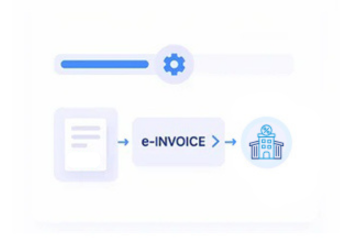
- Flow Trigger Selection: Relevant ERP events initiate invoice workflows using defined business conditions and connected source data.
- Record Validation Logic: Workflow checks verify customer, transaction, and invoice information before processing continues for submission.
- Data Transformation Rules: Microsoft Power Automate actions restructure source records into suitable structured e-invoice information.
- Approval Routing Steps: Automated approvals direct exceptions and required reviews toward designated finance and accounting users.
- Tax Information Mapping: Applicable VAT details are prepared alongside transaction data in line with relevant FS SR requirements and guidance.
- Submission Response Handling: Workflow actions capture exchange responses and associate processing status with originating invoice records.
What Advintek’s Microsoft Power Automate Connector Does
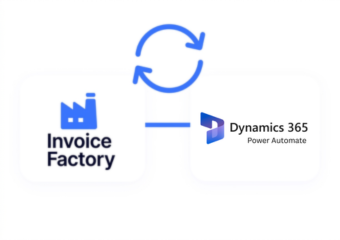
Power Automate connects ERP records, business applications, approvals, validation actions, and exchange services, allowing Advintek to coordinate Slovakia invoice workflows across connected systems.
- Connects ERP events with invoice workflows
- Routes invoice approvals through defined conditions
- Transforms source data for invoice preparation
- Captures responses from exchange services
What Microsoft Power Automate Users Gain
- Workflow Automation Value: Automated flows reduce repetitive invoice preparation while coordinating connected business records consistently across defined workflows.
- Process Visibility Improvement: Flow histories provide traceable information about invoice actions, approvals, exceptions, and processing outcomes.
- Exception Handling Support: Conditional branches direct incomplete records toward appropriate review before further processing or submission.
- Data Synchronization Control: Connected actions coordinate invoice information between source systems and compliance processes with reliable data continuity.
- Approval Governance Support: Defined routing rules help finance teams review selected transactions before invoice processing continues for submission.
- Operational Continuity Benefit: Automated workflows preserve invoice relationships when multiple applications participate in connected billing and financial processes.
Slovakia e-Invoicing Capabilities in One Place
Flow Performance Review
Examine workflow runs, outcomes, exceptions, and invoice activities across Power Automate.
Approval Pattern Analysis
Review approval activity against invoice types, business units, and transaction categories.
Exception Trend Examination
Analyze recurring validation issues alongside source records and workflow conditions.
Microsoft Power Automate Support for Slovakia Businesses
Advintek extends Microsoft Power Automate beyond routine task automation by coordinating invoice preparation, approvals, validation, exceptions, and compliance-related data across connected business applications.
- Coordinates invoice tasks across connected applications
- Routes exceptions toward designated finance reviewers
- Links source records with invoice outputs
- Supports workflow oversight from centralized records
Start Your Compliance Workflows
Prepare Power Automate workflows for Slovakia invoicing with Advintek.
Activate Slovakia E-Invoicing for Microsoft Power Automate.
Ready e-Invoice System
Frequently Asked Questions Power Automate e-Invoicing Slovakia
How can Microsoft Power Automate trigger invoice workflows from ERP systems?
Microsoft Power Automate can start invoice workflows when connected ERP systems create or update relevant sales, billing, customer, or transaction records. Advintek can use those events to initiate validation and preparation steps for Slovakia. This reduces manual handoffs while maintaining relationships between source records and resulting electronic invoice information.
Which Microsoft Power Automate connectors can support invoice data?
Microsoft Power Automate can connect applications through available connectors, APIs, and data services used by an organization. Advintek can coordinate information from ERP, accounting, CRM, storage, and other connected systems when preparing invoice workflows. Relevant customer, transaction, product, and tax information can then be organized for Slovakia electronic invoicing.
Can Microsoft Power Automate manage invoice approvals and exceptions?
Microsoft Power Automate can route invoices through approval conditions, review steps, notifications, and exception branches based on configured business rules. Advintek can incorporate these workflow actions around invoice preparation for Slovakia, helping organizations direct incomplete or unusual records toward appropriate users before further processing, validation, or electronic document exchange.
How does Microsoft Power Automate handle invoice status responses?
Microsoft Power Automate workflows can receive responses from connected services and use those responses to update records, trigger notifications, or route exceptions. Advintek can associate relevant status information with originating invoice records, giving finance teams clearer visibility into processing outcomes and supporting reconciliation between source applications and electronic invoice documents.
What does Advintek add to Microsoft Power Automate workflows?
Advintek adds invoice-focused orchestration around Microsoft Power Automate by organizing source data, validation activities, approval paths, structured document preparation, and exchange responses. For Slovakia, applicable Financial Administration requirements can inform the workflow. This creates a connected process linking operational applications with electronic invoicing while retaining source-record traceability.